
What’s new
Every release of eigenspace.design, newest first. The app shows the same list under the version number in its status bar.
- v0.29.017 Oct 2026
Server runs that survive a closed app, and over 250 fixes from a full audit
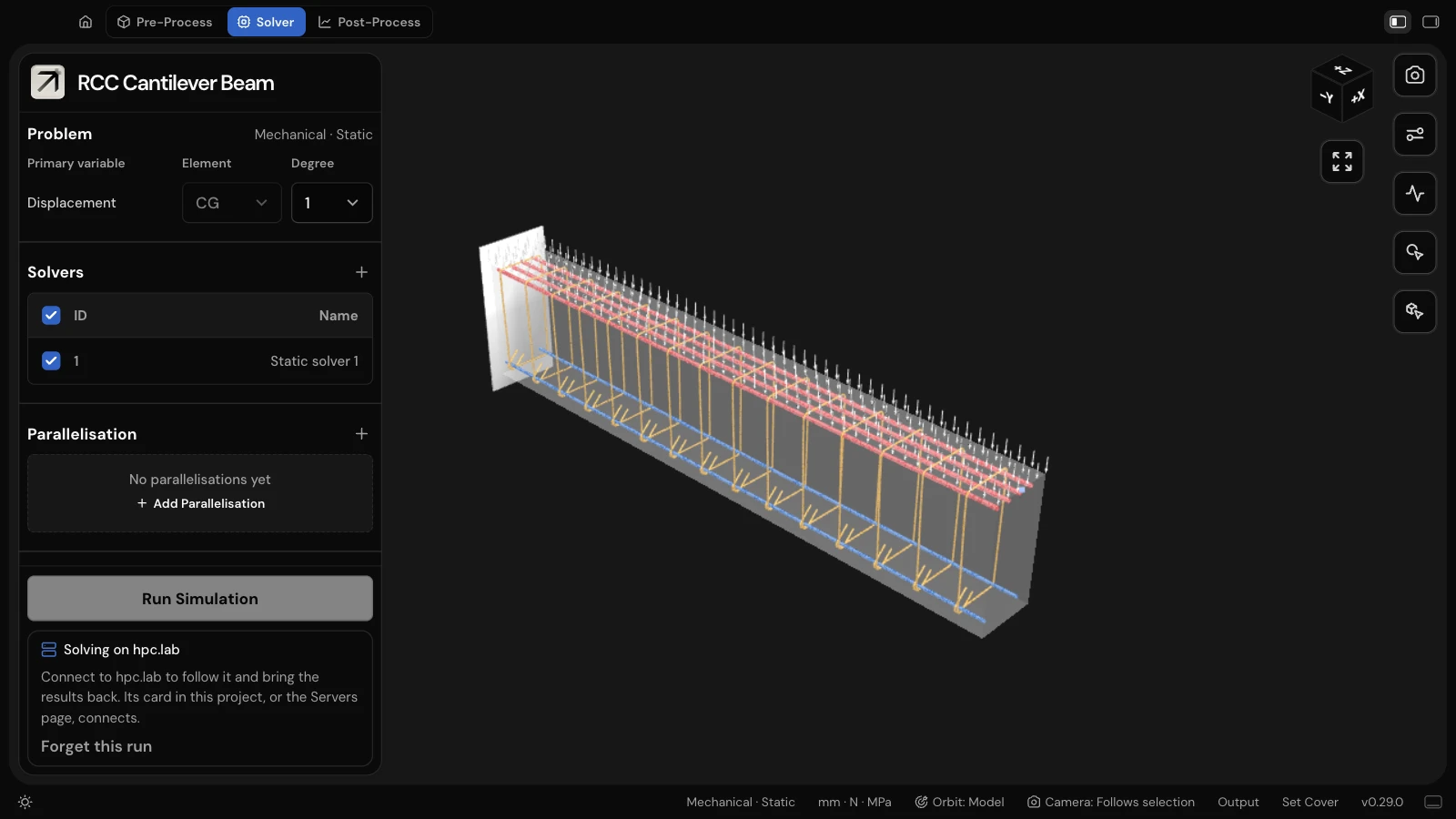
- A study solving on a server keeps going there when the app quits or closes unexpectedly. The next time the app connects to that server it picks the run up: still solving, it is followed again; finished, its results come back and open in Post-Process; failed, the failure is shown. Disconnect can leave a run solving, and results that cannot come back yet stay on the server for another try.
- A full audit of the app and its solver found 185 bugs, and a second audit after the fixes found 77 more. All are fixed, each with a test.
- Shells give their published answers: NAFEMS LE2, the LE3 hemisphere and the twisted beam now match. Shell normals, nodal forces on several cores and plate rotations are put right, and a plate’s rotation now means the rotation about x and y, as a shell’s does.
- Thermal fracture in plane strain counts the whole energy, a temperature held at a point works on flat models, and AT1 and cohesive damage stays at or above the last accepted step.
- Values typed in the cards reach the solver as typed: a decimal comma, a minus sign, the last keystroke and the decimal point in the thickness. New materials and defaults follow the project’s units.
- Deleting a project removes only what the app made, never your own files beside it. Projects named “Study…” or kept in a folder named “studies” work, and renaming a group no longer breaks a run.
- Settings the solver cannot use are refused before the run, naming the setting, and a replaced solver no longer leaves its hidden settings behind in the study.
- The 3D view paints per-cell results on the right faces after a re-solve, draws pinned supports and load arrows the right way, keeps the camera steady, and says when the computer’s graphics are blocked instead of loading for ever.
- Servers, the licence and updates: a dropped channel no longer ends a run, a changed host key can be accepted, available updates are shown and old solver downloads are cleaned up. On Windows, paths with an apostrophe, server runs and an interrupted first launch work.
- v0.28.015 Oct 2026
Heat transfer, thermal stress and new kinds of fracture
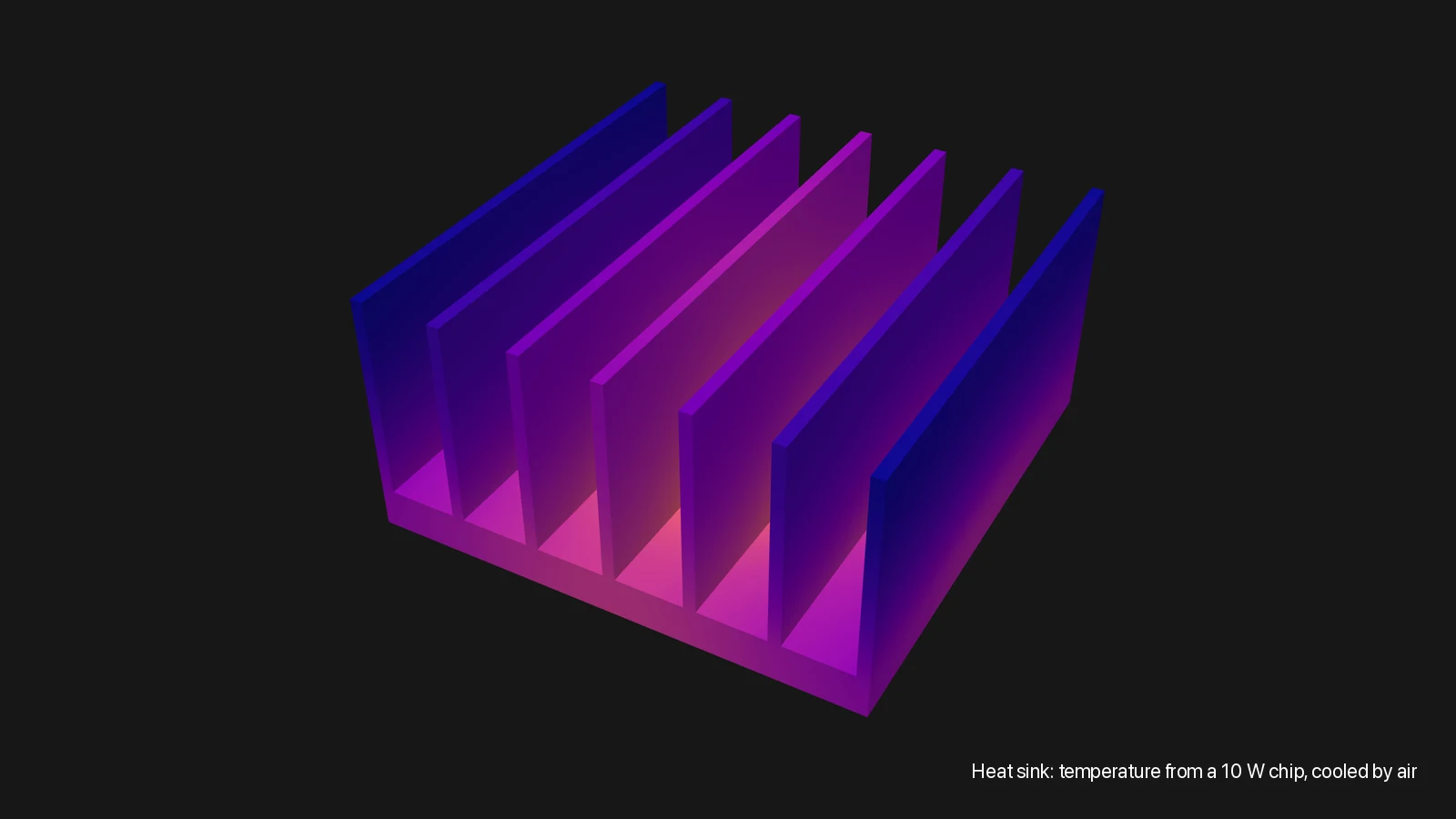
- Heat transfer: the temperature and heat flow in a part, steady or in time. Hold a face at a temperature, let a face cool to the air, heat a face or a body; a face with none of these is insulated. Materials take conductivity, specific heat and thermal expansion, and a study in time plays its results against time.
- Thermal stress: the temperature, then the stress and movement it causes, in 3D, plane strain and plane stress.
- Fracture: beside AT2, the AT1 model and a cohesive model with a tensile strength and a softening law (linear, exponential, or Cornelissen’s for concrete). The crack can be driven by the largest principal stress as well as by the strain energy.
- Body groups can be kept from cracking, such as a steel loading plate, so the crack starts where the test means it to.
- Thermal fracture, for cracks driven by temperature (a quench, cooling, heating), and dynamic fracture, for a crack running through a solid with inertia that can branch and stop.
- For fracture, the mesh can start coarse and be refined where the crack is going as the study runs; Post-Process shows each step on its own mesh.
- 22 new samples: NAFEMS T3 and T4, a thick cylinder’s thermal stress, a bimetallic strip and a heat sink, and fracture tests from mode I and mode II plates to Gálvez’s four-point beam, a ceramic quench and Borden’s crack branching.
- A server on the Servers page can have a picture of its own.
- A new project’s first mesh is framed in the view, instead of being drawn outside it.
- Groups that share elements are drawn whole, and a Gmsh mesh with an element in two groups imports it once, in both.
- A study with loads or supports on two different faces solves again, and opening one project after another no longer drops the second one’s assignments.
- v0.27.014 Oct 2026
A Servers page: this computer and your saved servers, each with a dashboard
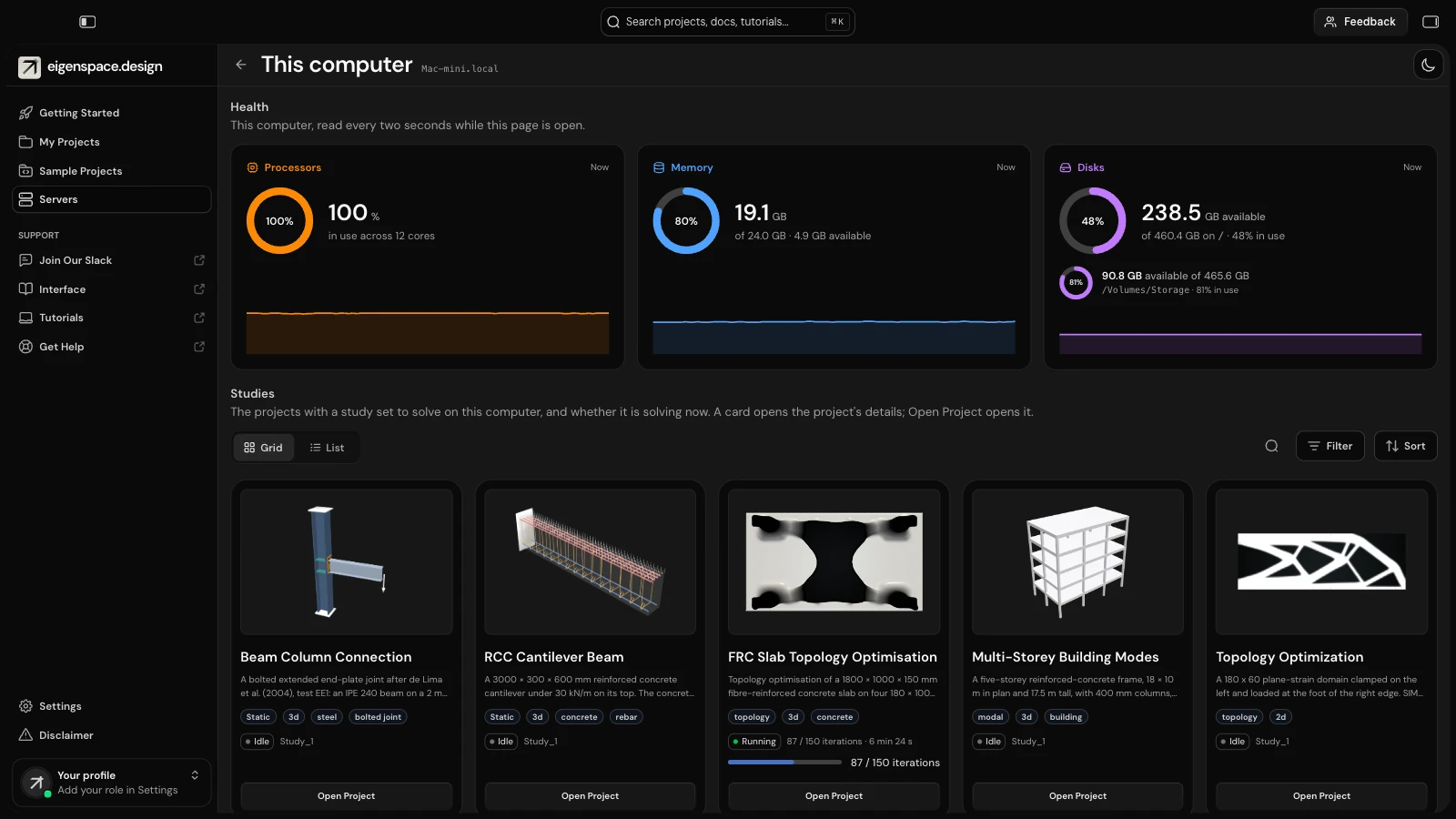
- Servers has a page of its own in the sidebar, beside My Projects and laid out the same way: cards or a table, with a details panel to the right. This computer comes first, under its own name, then the servers you saved. Add, change and remove servers there; the Servers tab has left Settings.
- Open Dashboard shows a machine’s processors, memory and disk, each as a ring with its share, the number and a trend over the last three minutes, updated every two seconds. For a server, connect to it on the page first.
- Under the rings are the projects with a study set to solve on that machine: Idle, with the studies’ names, or Running, with the iterations done, the time so far and a progress bar.
- Disk sizes are given as the machine’s own file manager gives them.
- A project without a cover shows the logo’s arrow, which folds into the plus while you point at the card.
- v0.26.014 Oct 2026
Right-click the theme button for the dark palettes and the 3D view’s background colour
- Right-click the theme button in the status bar for a menu of the dark palettes, Graphite, Slate and Nord, and the 3D view’s background colour: match the theme, or a colour of your own. A left click still switches between light and dark.
- The background colour is the app’s, for every project. On a light colour the axes are drawn in dark ink, and a movie on the viewport background uses it.
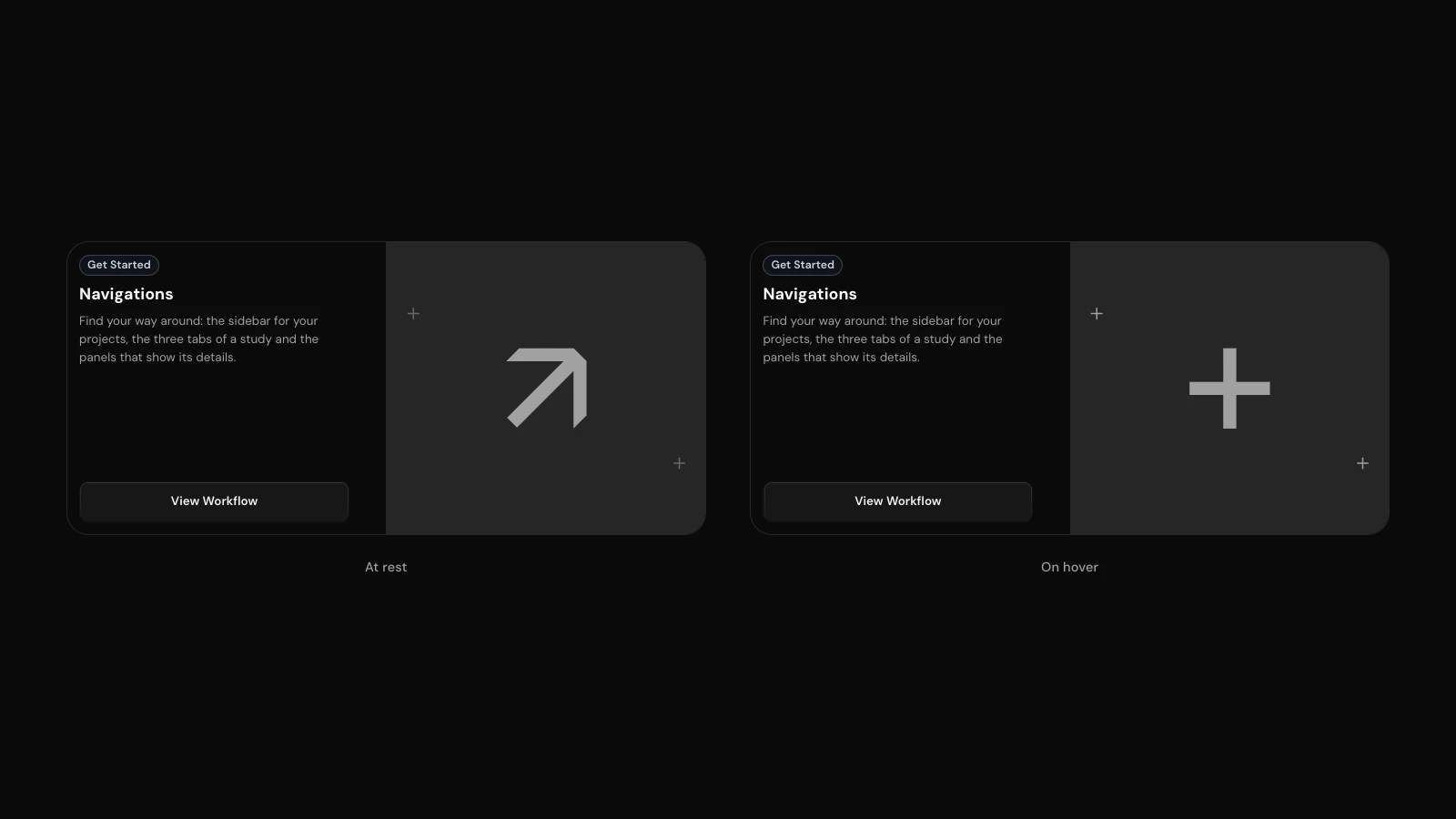
- The Navigations card in Getting Started draws the logo’s arrow, and folds it into the plus while you point at the card.
- What’s new in the app shows the picture of the release you point at.
- v0.25.014 Oct 2026
Hold X, Y or Z to orbit or pan along one axis
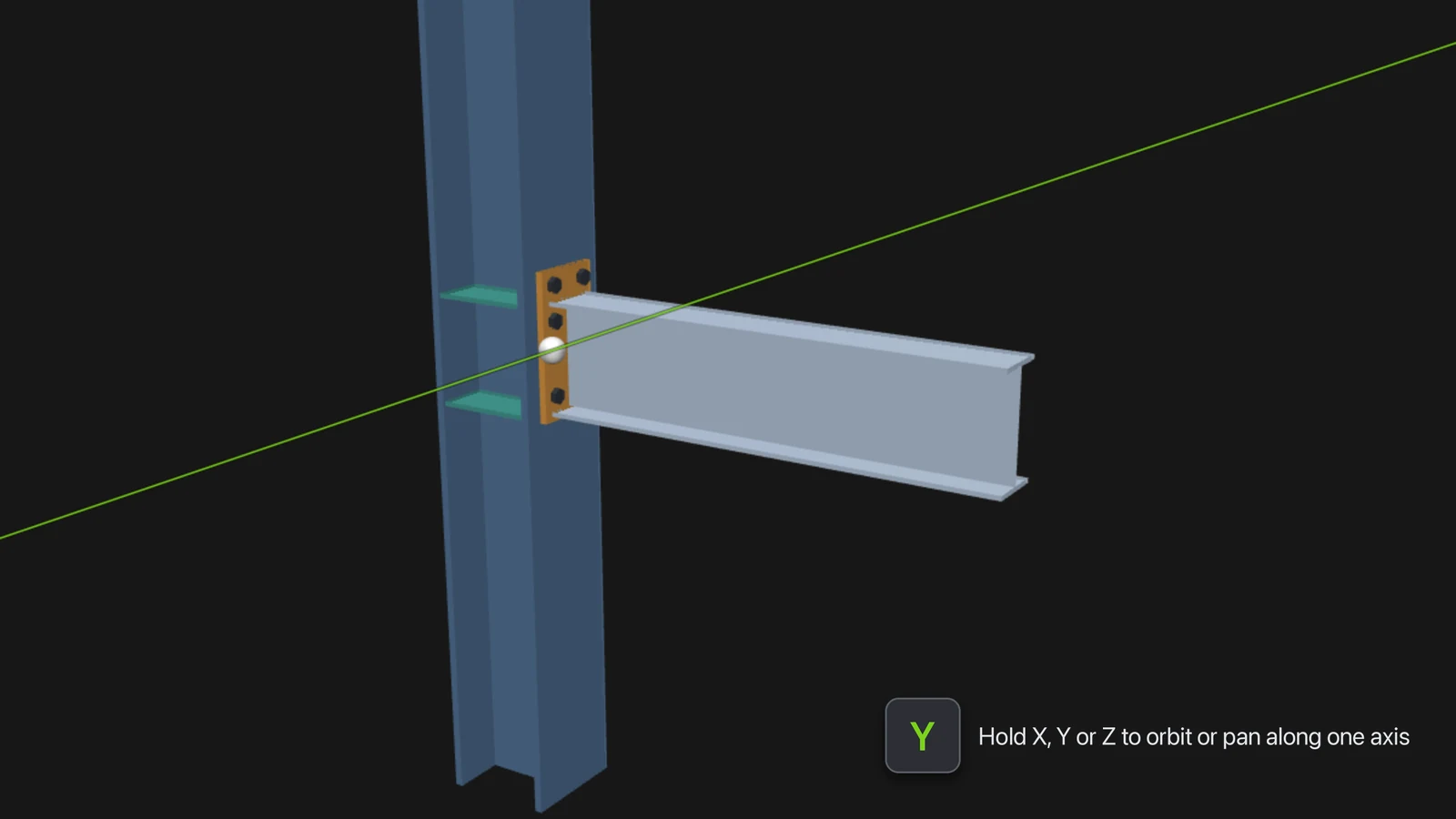
- Hold X, Y or Z while you orbit and the model turns about that axis only, through the orbit centre: the model’s centre of gravity, or the group picked under Orbit. Pan with the key held and the model slides along that axis only.
- While the key is down, the axis is drawn through the centre, across the whole viewport, in its colour: X red, Y green, Z blue. An axis that points straight at you turns like a dial.
- Let go of the key mid-drag and the drag is free again. The keys work whether or not the viewport has focus, and not while you type in a field. Lock to an axis in the Orbit popover turns it off.
- What’s new in the app and the About card now show a picture of the release, as this page does.
- Resizing the window no longer flashes a strip of another colour at its edge: the window takes your dark palette’s colour, and opens in it next time.
- After a graphics reset (on Windows, the screen flashing white when switching tabs) the view cube is drawn again instead of staying black, and the Output log says that one happened.
- v0.24.014 Oct 2026
Deform by field takes any result: a scalar, or one displacement component, along a direction you give
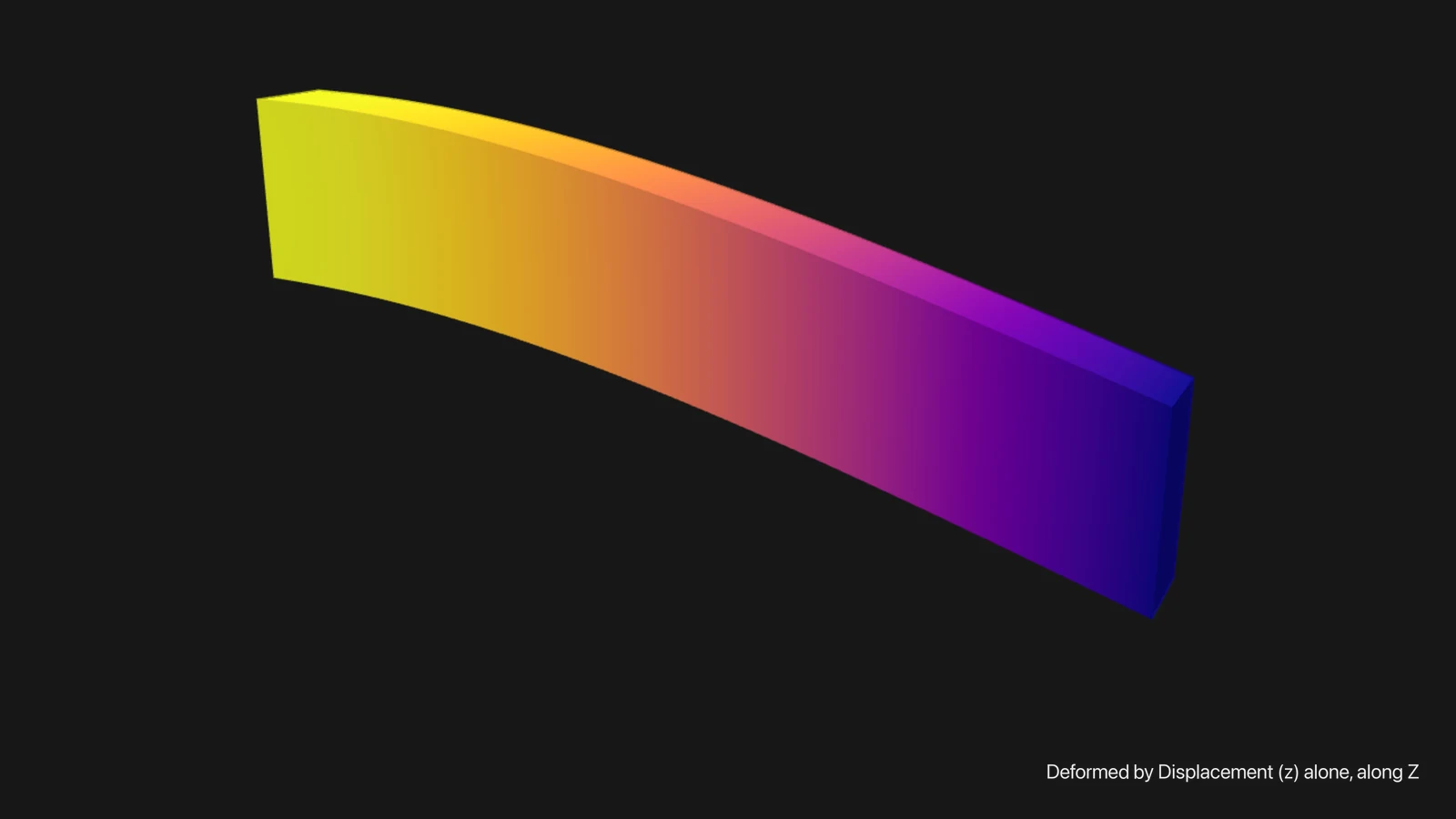
- Warp by field is Deform by field, and offers every result an output writes, not only its vectors. A scalar such as the von Mises stress, the damage or one component of the displacement asks for a direction (along X, Y or Z), and each point moves by its value along it.
- A displacement component starts along its own axis, so Displacement (y) deformed by itself moves the model in y alone. The scale and its slider are sized from the scalar’s largest value, and a saved visualisation and a movie keep the direction.
- The drawings on the load and support cards sit in the same inset frame as every field.
- v0.23.113 Oct 2026
The modal and response spectrum samples are a 4 m concrete building beam
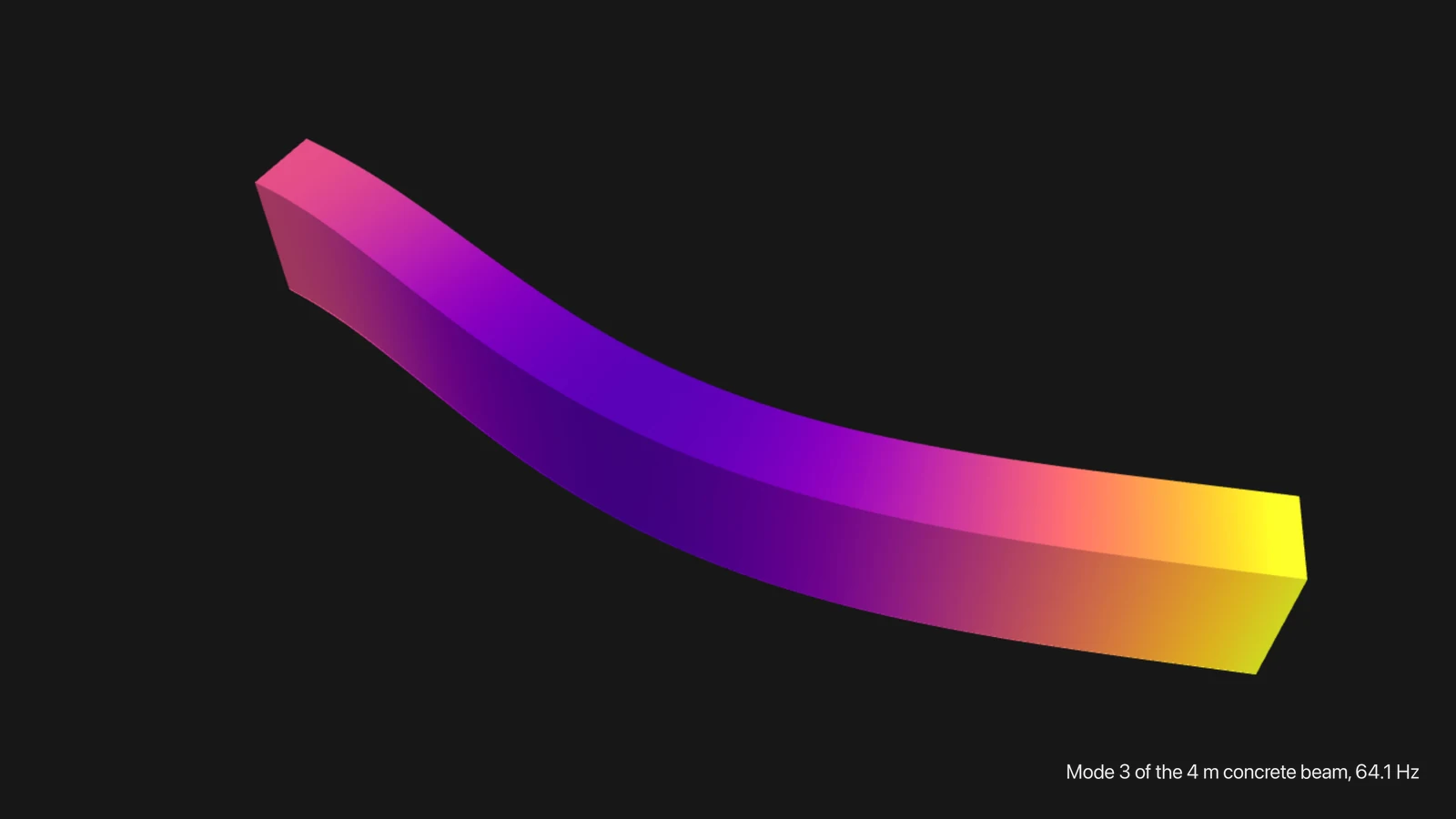
- The modal and response spectrum samples are a reinforced-concrete cantilever 4 m long and 300 × 600 mm, in place of a unitless bar and a 20 m steel mast. The 3D modal sample finds its first mode at 10.48 Hz, within 0.4% of Timoshenko’s beam theory for bending.
- The response spectrum sample shakes the beam along and across it by the same Eurocode 8 spectrum, with 16 modes so that every mode carrying more than 5% of the mass is included.
- v0.23.012 Oct 2026
A group tool that picks in the viewport, and the load and support cards drawn from what they hold
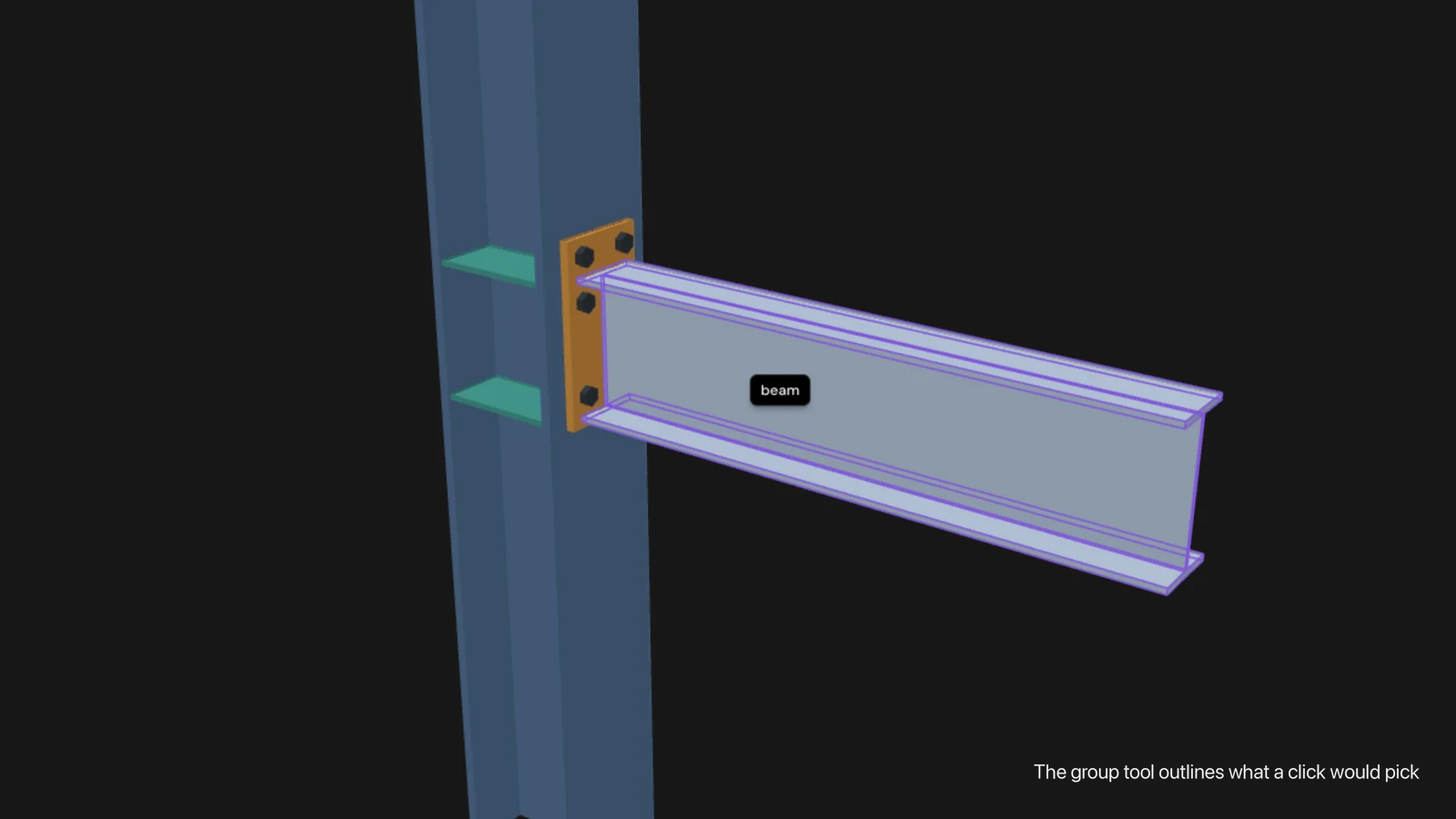
- A group tool in the viewport’s rail. A click picks a group only while the tool is on, and the group it would pick is outlined under the cursor first, with its name and kind beside the cursor. A right click chooses what to pick: points, edges, faces or bodies.
- The load and support cards show line drawings of their own: a pressure presses, a pin turns, a fixed face locks, and hovering a card plays one short movement. The drawings follow the card’s settings and the model’s kind.
- Tooltips stand out better against the viewport.
- v0.22.012 Oct 2026
A camera switch that keeps your view, a viewer that comes back after a graphics reset, the first start after an update explained, and both title bar edges in full screen
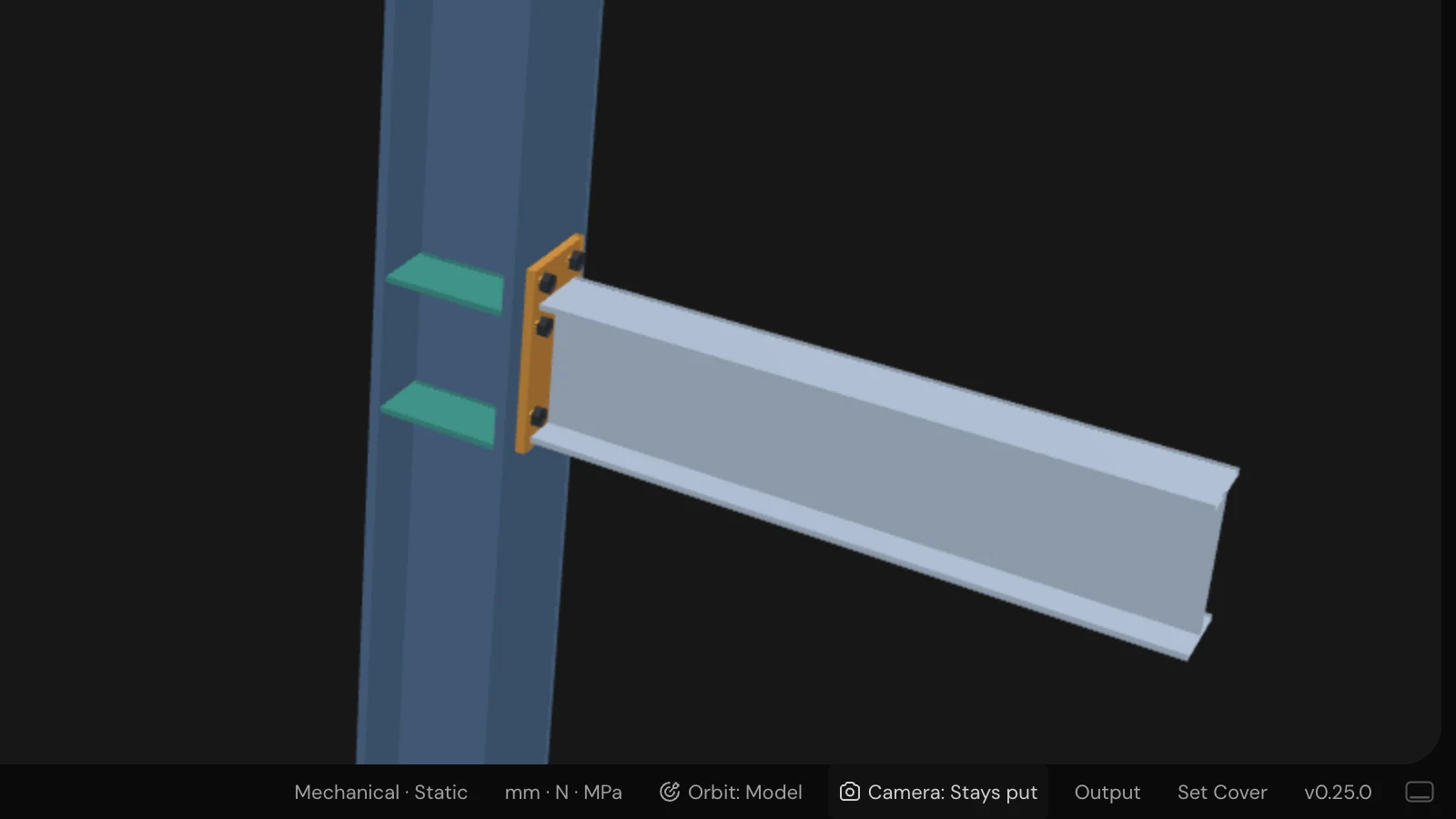
- A camera switch in the status bar, beside Orbit. “Camera: Follows selection” is what the app always did: a row selected in the Pre-Process sidebar moves the camera to its group. One click makes it “Camera: Stays put”, so a view set up by hand stays where it is while you work down the tables. Remembered across projects.
- A model that vanished from the viewport after a graphics reset now comes back by itself.
- The first start after an install or an update says that it takes about a minute, instead of reading as a viewer that would not open.
- In full screen the title bar uses both edges. The tag filter on the project pages starts with every tag ticked, Settings offers default avatars, and Getting Started gains a Sample projects card.
- Your profile, and with it the licence activation, is kept in the app’s data folder.
- v0.21.012 Oct 2026
A Getting Started page, Post-Process follows the Solver tab, group names kept as the mesh has them, and a new project gets its own folder
- The Getting Started page walks a new user through the app in the order the cards are read: initial settings, navigation and basic terminology, then three tutorials (the cantilever static, the cantilever dynamic, parallel solving and topology), then the community and feature requests. Each card’s drawing moves when you point at it.
- The app’s documentation links open the manuals: each Getting Started card goes to its own page, the sidebar offers Interface, Tutorials and Get Help, and Open Documentation opens the manuals’ front page.
- A mesh whose groups are named in capitals (G_PLATE, G_LOAD_TOP) no longer fails every run with “Unknown mesh group”: the study keeps the mesh’s own group names.
- A project opens on Pre-Process, not on whichever tab was showing when you last went home.
- Add Project’s Browse asks where to create the project and can make a folder there; the project then gets a folder of its own inside it, named from the project.
- Post-Process lists the results the Solver tab now defines: a study changed from modal to static and run again no longer lists its old mode shapes.
- A new install no longer opens on “Simulation unavailable”: setup hands over first, then the licence dialog asks for a licence, and the solver download is offered in a popup that shows its progress.
- v0.20.38 Oct 2026
On Windows, the window buttons match the app while it starts
- v0.20.28 Oct 2026
eigenspace.design for Windows, and folder pickers that open on Documents
- The app for Windows, with Windows’ own minimise, maximise and close buttons over the app’s title bar. A Windows copy updates itself, and double-clicking a project file opens it.
- Copy Project and New Project’s folder pickers open on Documents.
- Post-Process says “No results yet” for a study that has not been run, and offers Go to Solver, instead of listing fields with nothing behind them.
- v0.20.18 Oct 2026
A pressure’s arrows on a plate or a shell all point one way
- v0.20.08 Oct 2026
Plates and shells in the app, with their supports, loads and outputs, and a cover for every sample
- Plates and shells: the status bar’s Analysis popover gains a Model for a 2D mesh (plane stress, plane strain, plate, or shell for a surface in space) with its thickness and, for a shell, which way its normal looks.
- A plate’s support holds its deflection and two rotations, a shell’s six; Pinned frees the rotations. Loads add a line load along an edge, and for shells an edge moment and a nodal force. Outputs offer deflection, rotation, bending moment, shear force and membrane force.
- Every sample ships its own cover, rendered from its mesh the way the viewport draws it.
- A multi-storey building among the samples: a five-storey reinforced-concrete frame solved for its first eight natural modes.
- v0.19.07 Oct 2026
Plates and shells in the solver, eighteen verification samples, and a second copy of the app starts beside the first
- Eighteen verification samples, each a complete project checked against its published answer: eleven NAFEMS benchmarks (LE1, LE2, LE3, LE6, LE10, FV12, FV15, FV16, FV22, FV32, FV52) and seven closed-form cases (Lamé’s thick cylinder and sphere, a free beam’s modes, a cantilever under its own weight, and Timoshenko’s and Navier’s square plates).
- The solver handles thin plates in bending and shells as surfaces in space, which the new samples need.
- Samples that ship without a cover show the card’s placeholder instead of a copy of the cantilever’s.
- A second copy of the app no longer stops with “Port 8000 is in use”: its services start on the next free port.
- v0.18.27 Oct 2026
Saved servers with their passwords in the keychain, and copied samples keep their units
- Settings → Servers keeps the servers you solve on, each chosen by name, with its password in the system keychain.
- A sample copied to My Projects keeps the sample’s units.
- v0.18.17 Oct 2026
Hovering a button no longer looks like it being on
- v0.18.07 Oct 2026
Ready for 1.0: the app’s services answer only the app, the solver runs locked down, unsaved changes say so, and Held solid takes body groups
- Topology optimisation’s Held solid takes body groups of the mesh: make the parts to keep solid as volume groups and choose them.
- A study with no supports, a material with no density in a modal or dynamic study, and a dynamic study with a moving support are refused before solving, with a sentence saying what to add.
- A failed save shows “Changes not saved” with Retry in the status bar, and a run does not start until its save has landed.
- A mesh or result file that crashed the 3D view is set aside after one crash, named in plain words, and the rest of the model still draws.
- A round of security hardening: the app’s services and 3D view answer only the app itself, the solver runs with no network and no extra privileges, and every path a study names must sit inside its project.
- v0.17.07 Oct 2026
Solid colour in Post-Process, and cards that offer only the groups the solver takes, one group each
- A visualisation can be drawn in one solid colour, chosen at the top of its Field list.
- The Pre-Process and Solver cards offer only the groups the solver takes: a support or a pressure on a face, a body force on a body, a probe on a point. Where no group fits, the card says why.
- A boundary condition, a load or a material goes on one group; ticking another moves it there.
- v0.16.16 Oct 2026
Project files show the app’s icon in Finder, not a preview of their text
- v0.16.06 Oct 2026
Double-click a project file to open it, and project files show the app’s icon
- Double-click a project’s .eigenspace file in Finder, or drop it on the app’s icon, and the app opens that project, whether the app is running or not.
- v0.15.06 Oct 2026
Topology with faces held solid and a filter for big 3D meshes, clip by a scalar, and a 3D concrete slab sample
- Topology optimisation can hold faces solid: every element within a chosen depth of a face stays solid, so supports and load pads are never designed away.
- A third topology filter, Helmholtz (PDE), so a 3D design of half a million elements filters in a fraction of a second.
- Topology and metamaterial studies can output Physical density, the design as the stiffness sees it: the one to show with a threshold of 0.5.
- The Clip modifier can clip by a scalar: choose a result and a value, and what is at or above it stays.
- A sample: topology optimisation of a fibre-reinforced concrete slab on four pads, after Jipa et al. (2016).
- v0.14.06 Oct 2026
Solve on a server, degrees of freedom in the Study Summary, samples you run yourself, and the eigenspace.design name
- Run a study on a server: Run sends the project there, solves it in a container that keeps going if the app disconnects, streams the progress into the job panel, and brings the results back.
- The job panel lights only the cores the study’s own processes run on, here or on the server.
- Study Summary shows the run’s Degrees of Freedom and names its steps by what they are: Load Steps, Time Steps or Iterations.
- The sample projects ship without results: each opens set up, ready to run, so its results come from your own run. The app is about 48 MB smaller.
- The app is called eigenspace.design everywhere: in the Dock, the menu bar, Finder, the installer and the manuals.
- v0.13.156 Oct 2026
The solver for Apple Silicon, about twice as fast, and connecting to a server to solve on
- The solver comes in two builds, and the app downloads the one for its Mac: on Apple silicon it runs natively, 1.5 to 4 times faster on the samples. A Mac on the older solver is offered the faster one under Settings → Update.
- A parallelisation can run on a server: enter its address and user name, connect with the password, and the card shows the server’s cores, memory and solver. When the server has no solver, a button installs it there.
- Disk images and drives can be ejected while the app is open.
- v0.13.145 Oct 2026
Point and cell info: hover the model to read coordinates and field values
- A button under Visualization Controls reads the model under the cursor: a point’s coordinates, or in Post-Process the shown field’s value at the nearest point or in the cell under the cursor.
- v0.13.135 Oct 2026
The solver’s version in Settings, a fix for a solver reported as not installed, and orbit about the model’s centre of gravity
- v0.13.125 Oct 2026
Blender’s mouse in the viewport, a turntable orbit, zoom to the pointer, and orbit about a group
- Blender’s mouse in the viewport: the middle button orbits, Shift with it pans, the right button pans. A trackpad still orbits with a drag.
- Orbit is a turntable about Z, so the horizon stays level however far the model is turned, and the Orbit menu can turn the model about any group’s centre.
- v0.13.115 Oct 2026
The app icon has a back, and no focus ring round the viewport when you Shift-drag
- v0.13.105 Oct 2026
The new icon throughout, panel buttons that show their panel, and edges drawn on every model
- v0.13.95 Oct 2026
Response spectrum analysis and its sample, a new app icon in 21 colours, and card titles that stay put
- Response spectrum analysis: a structure’s peak response to ground shaking given as a design spectrum. The solver card asks how many modes to combine, the damping ratio, how to combine the modes (CQC or SRSS) and the directions, how hard the ground shakes along each axis, and the spectrum itself as a table you can paste into.
- A sample, Cantilever Response Spectrum: a 20 m steel mast shaken by a Eurocode 8 design spectrum.
- A new app icon, and Settings → App icon: the icon in 21 colours, applied to the Dock.
- v0.13.85 Oct 2026
Modal analysis: natural frequencies and mode shapes, and two cantilever samples
- Modal analysis: a structure’s natural frequencies and the shapes it vibrates in. Choose Modal as the analysis, say how many modes to find, and each mode becomes a result of its own in Post-Process, named by its frequency, deflected and swinging.
- Two samples, Cantilever Modal 3D and 2D, whose bending modes come out within 1.2% of beam theory.
- The Study Summary shows how the newest run went: whether it completed and converged, its steps, and how long it took.
- v0.13.75 Oct 2026
Your settings are kept with a second copy of the app open, Save says why it is off, and a failed delete says why
- v0.13.64 Oct 2026
An About panel behind the logo: version, licence and what’s new
- Click the eigenspace.design logo in the sidebar for About: the app’s version and release channel, the licence this computer holds, this release’s note and a link to the full changelog.
- v0.13.54 Oct 2026
A bolted beam-column joint sample, stress peaks read as asked, and Pinned supports that run
- A sample, Beam Column Connection: a bolted extended end-plate joint after de Lima et al. (2004), with the column, beam, end plate, stiffeners and bolts each a group of one mesh.
- A data output’s min or max of stress, strain or von Mises is the peak it asks for, read in the field’s own element.
- v0.13.44 Oct 2026
Studies solve on several cores, Cancel Job stops a run, and iterative solver settings are used
- A parallelisation solves the study on this computer’s cores, up to those Docker Desktop is set to use. Topology optimisation, metamaterial design and the ILU preconditioner run on one core, and Run says so.
- Cancel Job stops the run.
- The Mesh Summary’s Diagnostics are measured from the mesh: duplicate elements, elements with every node on the boundary, and a chart of element quality.
- An iterative solver’s settings are saved and used: method, preconditioner, tolerances, maximum iterations.
- v0.13.34 Oct 2026
The Mesh Summary names your mesh and explains each row on hover
- v0.13.24 Oct 2026
Licensed installs work fully again, and animated warps play smoothly with a group hidden
- v0.13.14 Oct 2026
View only without a license, and von Mises drawn on the displaced shape
- Without a valid licence the app is for looking: the sample projects open as before, and your own projects open view only. Creating a project, importing a mesh, solving and exporting say a licence is needed.
- A result coloured by one field and warped by another (von Mises on the displaced shape) is drawn right.
- v0.13.04 Oct 2026
Updates from inside the app, for the app and the solver, and a signed app
- The app and the solver update themselves: Settings → Update offers a newer app (Download, then Restart and install) and a newer solver (a download of about 1.3 GB that resumes if cut off). The app checks when it starts and every 6 hours, and downloads only when asked.
- The app is signed and notarized by Apple, so it opens without a warning and can install its own updates.
- v0.12.03 Oct 2026
Results on chosen groups, the Modifiers tab, and a copy button in every sample
- Post-Process can show a result on some of the mesh’s groups and not others: a visualisation’s card has a Groups tab, each group with a switch and an opacity slider. Switch the concrete of the RCC beam off to see the stresses in its bars.
- An open sample has a Copy to My Projects button at the top right of the window.
- Clicking the face of the view cube you are already looking at turns the model to the opposite face.
- v0.11.03 Oct 2026
A reinforced concrete beam sample, and loads and supports that open on their type
- A sample, RCC Cantilever Beam: a reinforced concrete cantilever whose concrete, bars and stirrups are each a group of one mesh, with a material each.
- Creating a load or a boundary condition opens on its type (Point Force, Fixed, …).
- v0.10.13 Oct 2026
Keygen-only licences, and a round of security hardening
- v0.10.03 Oct 2026
An element and degree for each field, stress read at a point, and von Mises in Post-Process
- Each field’s element and degree can be chosen: a Problem section at the top of the Solver tab lists the analysis’s primary variables, and displacement can be CG of degree 1 to 3. With degree 2, the tip of a cantilever under a top pressure moves 0.715 mm against beam theory’s 0.714, where degree 1 gave 0.596.
- Stress, strain and von Mises are saved in the element where an elastic solid’s is exact, one degree below the displacement, or smoothed onto another element of your choice.
- A probe can read stress or von Mises at a point.
- v0.9.83 Oct 2026
The analysis chosen with the project, one field to an output, and graphs across outputs
- A project’s analysis is chosen when the project is made (static, dynamic, fracture, topology or metamaterial) and shown in the status bar, where it can be changed. The material, the solver and the outputs follow it.
- Dynamic analyses run: the solver sets the start, end and time step, and each material its density and damping.
- A graph plots the study’s data outputs together, so a reaction force can be drawn against a displacement.
- v0.9.72 Oct 2026
Your own copies of the samples, units for each project, and a quicker app
- A sample project can be made your own: the copy button beside Open makes a project in a folder you choose. A sample itself opens as a fresh copy every time.
- The project’s name is at the top of the sidebar, beside the logomark, and is renamed there.
- v0.9.62 Oct 2026
A graph’s data as a table, and dragging a slider no longer moves the model
- v0.9.52 Oct 2026
New graphs start as a finished figure, and tabs and fields look the same everywhere
- v0.9.42 Oct 2026
Resizing a sidebar no longer turns the model, and a graph’s page has an outline
- v0.9.31 Oct 2026
The installed app’s layout is right again, and a new license takes effect without a restart
- v0.9.21 Oct 2026
Results play through their steps, and the license shows in the status bar
- Results through their steps: a study that solves in steps, such as a fracture, writes each result at every step, and the timeline under the viewport plays through them. Colours keep one range over all the steps.
- Movies of a result through its steps, exported to MP4 like any other.
- A visualisation can be warped by a vector field other than the one on screen: the damage of a fracture, on the shape its displacement gives it.
- v0.9.11 Oct 2026
Movies, graphs, fracture and metamaterial studies, and Gmsh meshes
- Movies: a visualisation’s warp can be animated and played on a timeline under the viewport, and saved as an MP4 at a chosen size and background.
- Graphs: a graph plots columns of a study’s data output against each other, drawn as a journal figure, and exports as PDF, SVG or PNG.
- Gmsh meshes: a .msh file can be imported as well as a .med. Physical groups keep their names.
- Phase-field fracture: a Fracture problem that follows a crack from the first damage to failure, with loads ramped over load steps and damage written as an output field. A Phase-Field Fracture sample: a notched steel plate pulled apart until it breaks.
- Metamaterial design: a problem that designs a 2D unit cell for the highest bulk modulus at a chosen volume fraction, and a sample that settles into a four-fold symmetric lattice.
- v0.9.027 Sep 2026
Licensing: activate with a license key in Settings
- Settings → License activates this computer with the key from your purchase email, and shows the plan, seats in use, the expiry date and this computer.
- The license renews in the background and keeps working offline for up to two weeks between check-ins.
- Offline license files, for computers that cannot reach the license server.
- Clearer messages: a lost connection reads “Connection lost”, and solver messages say “the solver”.
- v0.8.027 Sep 2026
Topology optimization, and four working sample projects
- v0.7.926 Sep 2026
Projects keep their files in geometry/, mesh/ and studies/
- v0.7.819 Sep 2026
Missing project folders can be located again
- v0.7.712 Sep 2026
New Add Project dialog and project folders
- v0.7.65 Sep 2026
Faster simulation start with a kept solver cache